A supplement brand on Whop still lives or dies on the unglamorous parts: which products you list, how you describe them, and whether a shopper who leaves a tub in the cart ever hears from you again.
This guide is the email side of selling supplements with Whop, Shopify and Supliful: a conservative product list, Whop policy, then abandoned-cart recovery, a welcome flow, and reorder reminders you can build in EmailSync — our app on the official Whop App Store — with copy that stays away from health claims. For Whop checkout setup, one-click upsells and Shop Pay, the OneClick Upsell team wrote How to sell supplements with Whop, Shopify, and Supliful.
Quick answer
You can sell everyday supplements — protein, creatine, collagen, greens, hydration powders, coffee — by pairing Shopify and Supliful fulfillment with Whop checkout, as long as you keep claims conservative and check Whop’s policy. Whop prohibits unregulated supplements marketed with unsubstantiated therapeutic or health claims, plus cannabis/THC and adult sexual-gratification products. A product existing in the Supliful catalog is not a Whop approval.
Once the store is live, turn on EmailSync’s Abandon Recovery pack (three emails: after 1 hour, then 1 more day, then 2 more days, and it stops when the shopper places an order) and the Customer Welcome pack (a welcome email when a Shopify customer is created or a Whop membership is activated, then a follow-up 2 days later). You can also build a custom post-purchase automation with a wait of a few weeks to remind someone to reorder a consumable. Keep every email descriptive, not medical.
How the stack works
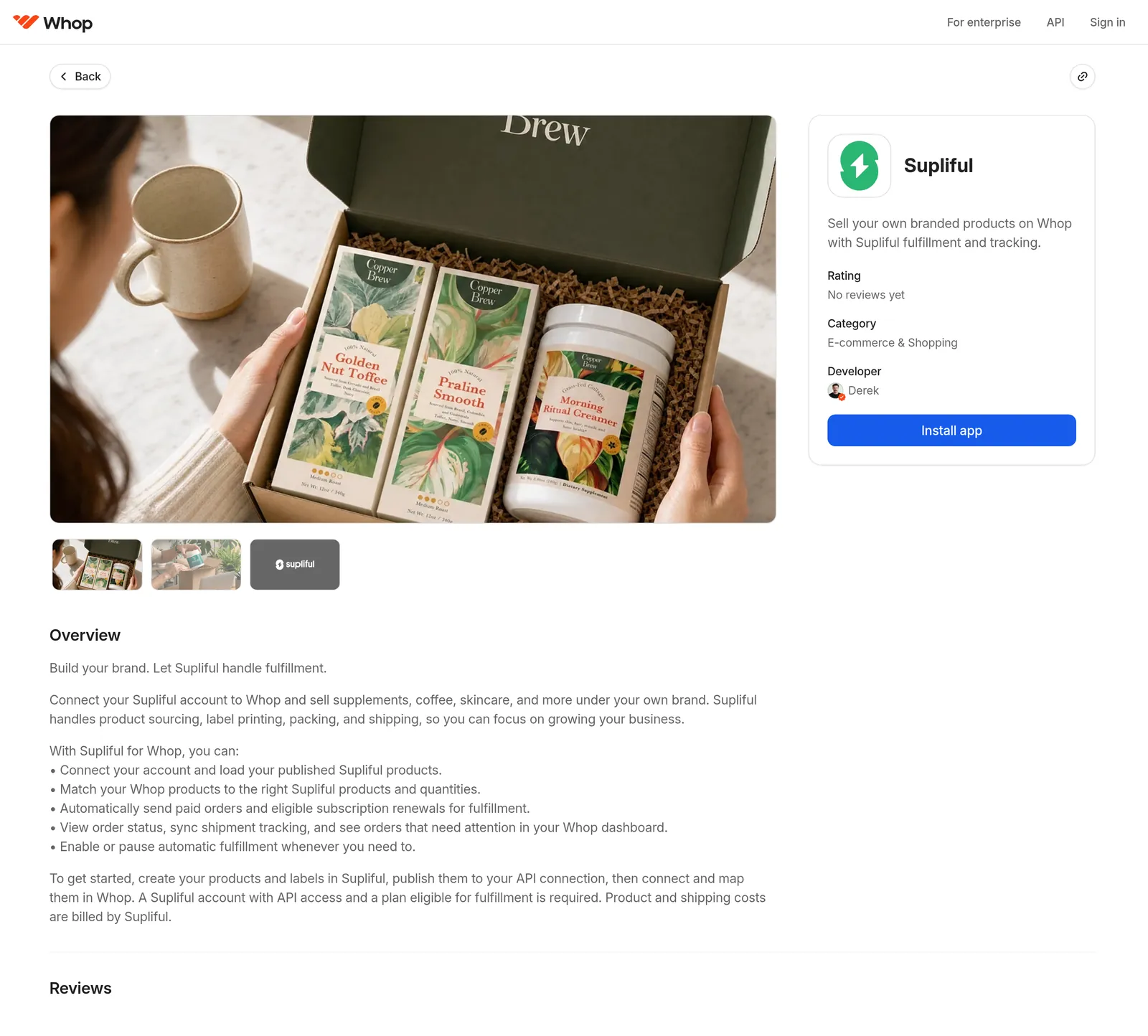
- Supliful fulfills private-label supplements and coffee from its US center. Use the Supliful Shopify app and, if you want the Whop-side connection, the Supliful app on the official Whop App Store (listed under developer Derek, Whop’s Head of E-commerce). Automatic fulfillment depends on your Supliful plan.
- Shopify is the storefront and the source of carts, customers and orders.
- Whop can take payment. Connect checkout with OneClick Upsell.
- EmailSync sends the automations: abandoned checkout, welcome, and any custom wait-then-email flow you add after a purchase.
Try this in EmailSync
Connect your Whop store and send your first campaign or automation today. Free to start.
What Whop’s policy actually says
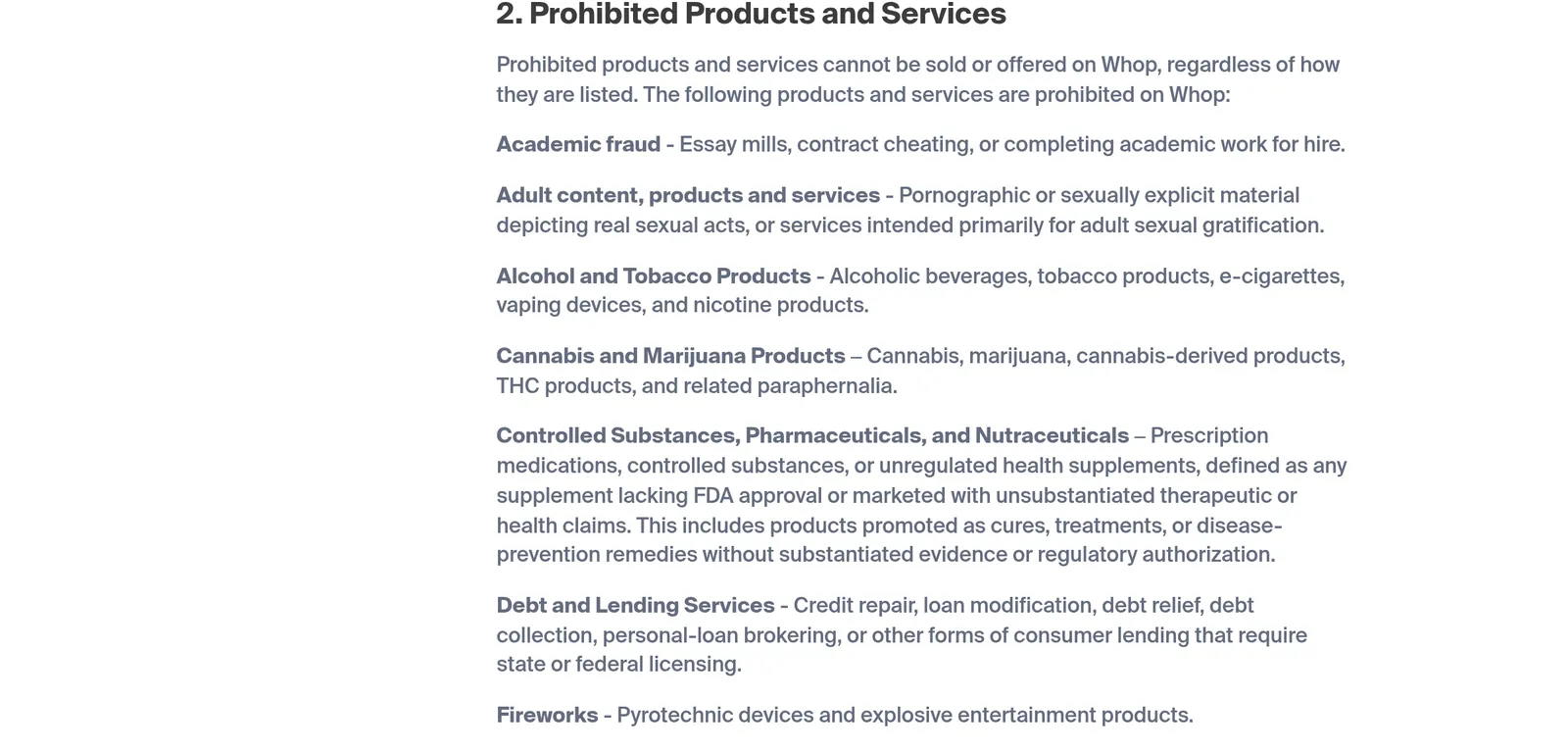
Whop does not publish an approved-SKU list for supplements. The Prohibited Products and Services Policy prohibits “unregulated health supplements, defined as any supplement lacking FDA approval or marketed with unsubstantiated therapeutic or health claims,” including products promoted as cures, treatments or disease-prevention remedies. The same policy prohibits cannabis, marijuana, THC products and related paraphernalia, and adult products intended primarily for sexual gratification. Whop’s trust and safety docs add that restricted categories may need prior approval, and they flag mixes such as a fitness offer that also sells peptides.
Dietary supplements are generally not FDA-pre-approved as drugs, so “lacking FDA approval” is a broad definition. The practical approach is conservative claims, a standard disclaimer, and asking Whop if you are unsure. Nothing below is a Whop approval.
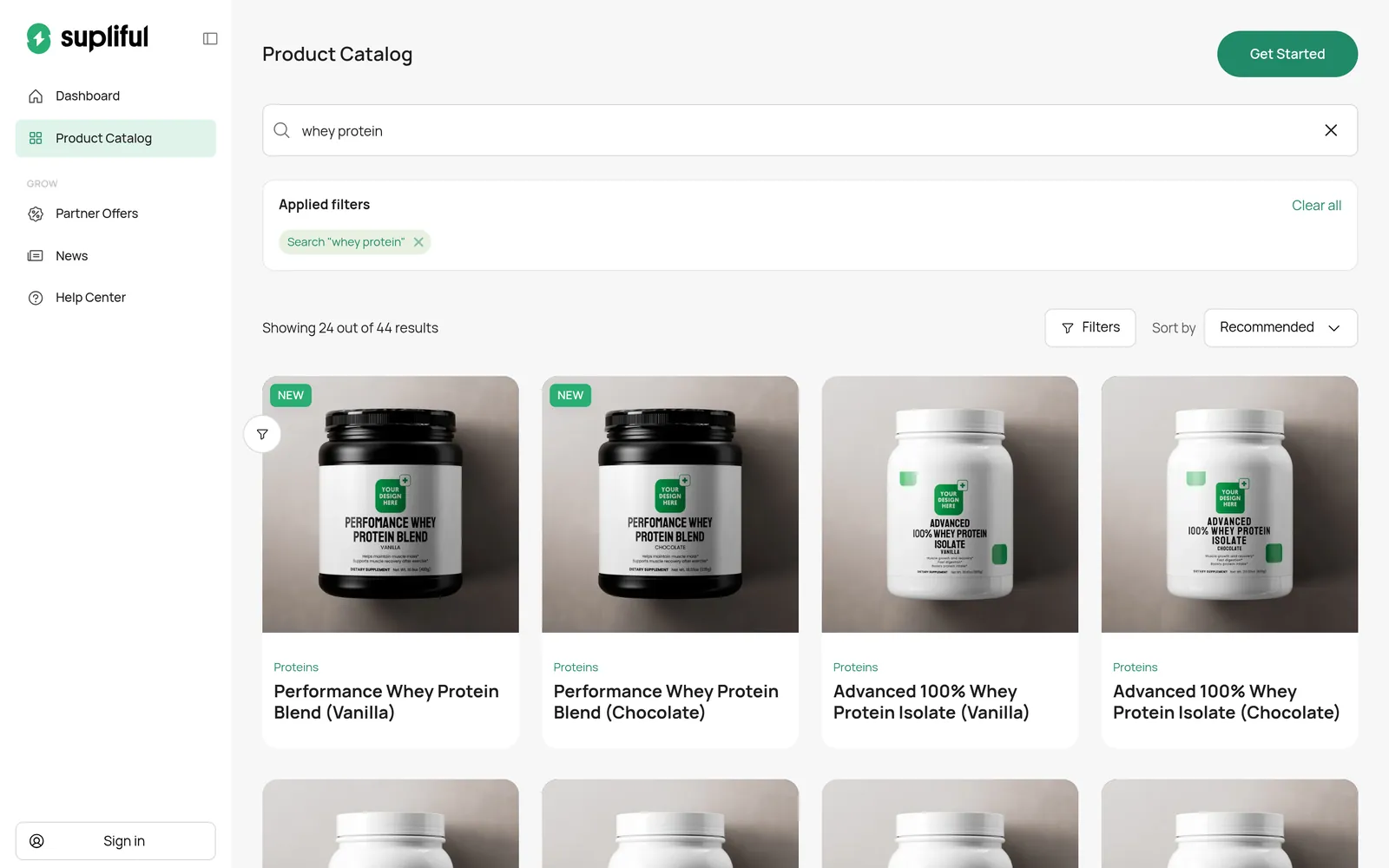
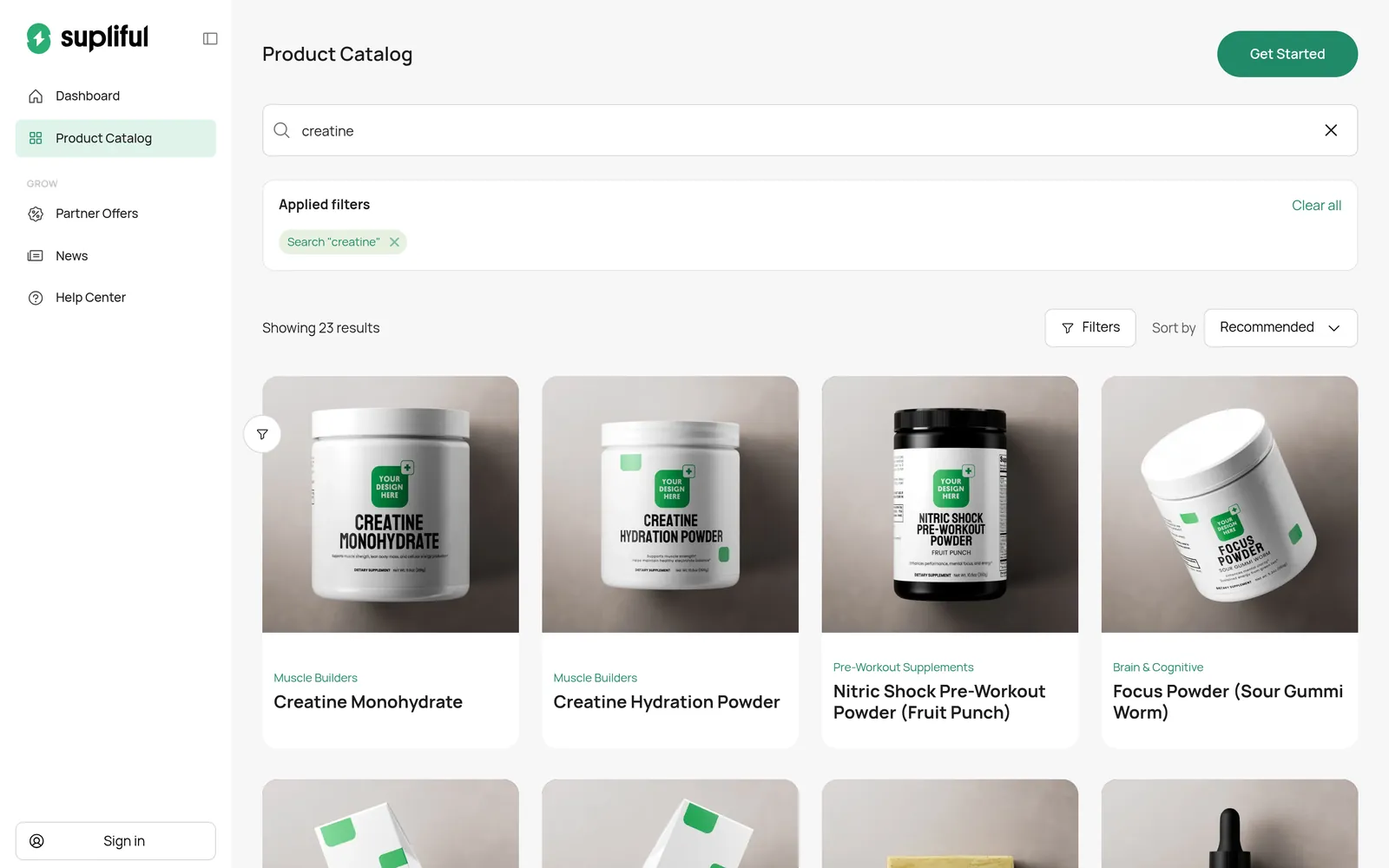
Ready-to-sell products from Supliful (likely within policy)
These are real Supliful catalog products as of November 16, 2026. Use your own conservative copy, including in email. Check Whop’s policy before you sell.
Protein and creatine
- Performance Whey Protein Blend (Chocolate)
- Performance Whey Protein Blend (Vanilla)
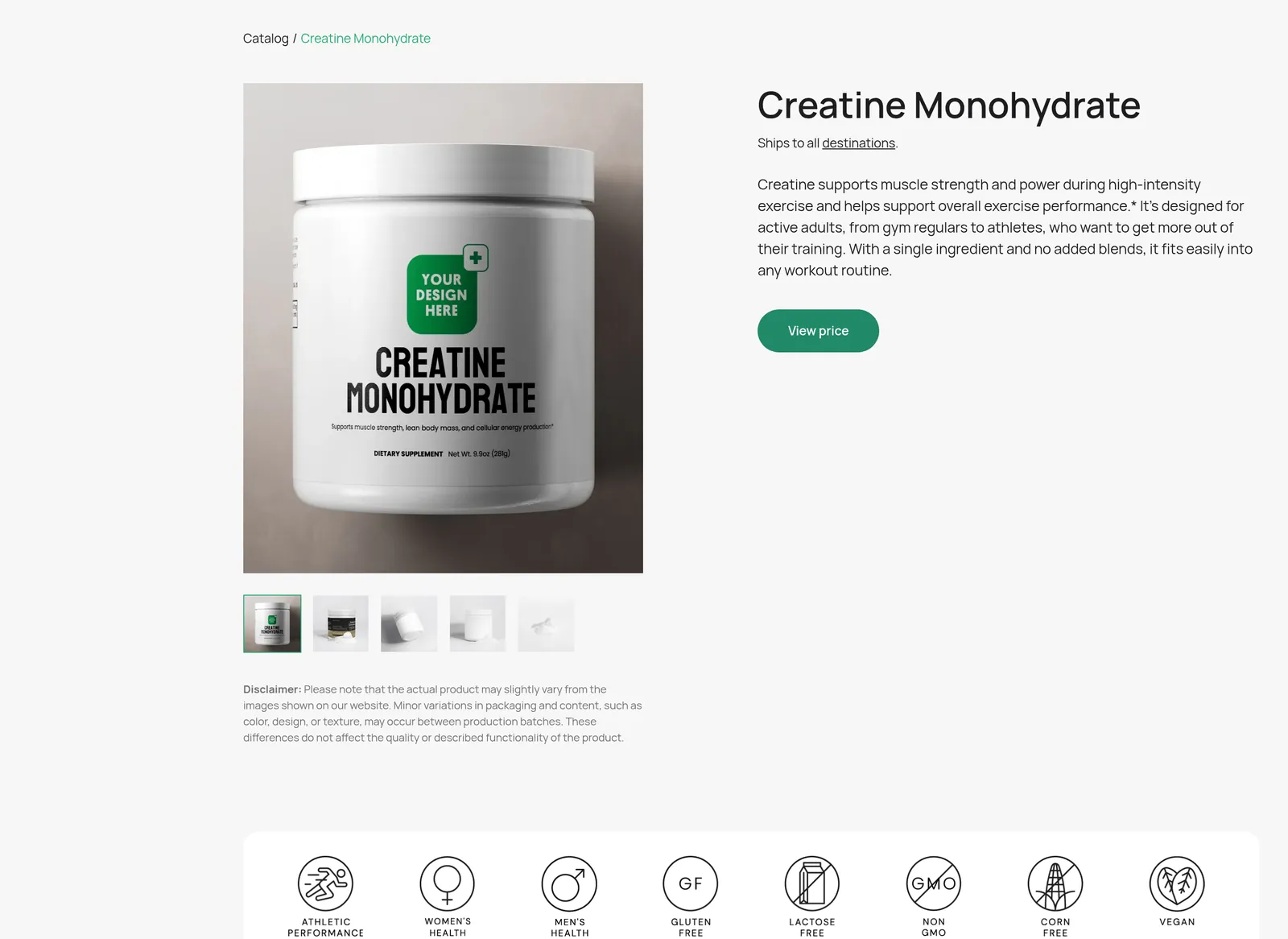
- Creatine Monohydrate
- Creatine Hydration Powder
Collagen, greens, hydration, coffee and tea
- Grass-Fed Collagen Creamer (Vanilla)
- Grass-Fed Collagen Peptides Powder (Chocolate)
- Greens Superfood — describe it as a daily greens powder, not a detox or immune “cure”
- Hydration Powder (Lemonade)
- Hydration Powder (Lychee)
- Chocolate Bold Coffee (Dark Roast)
- Ceremonial Matcha Powder
Categories and claims to leave out of the catalog and out of email
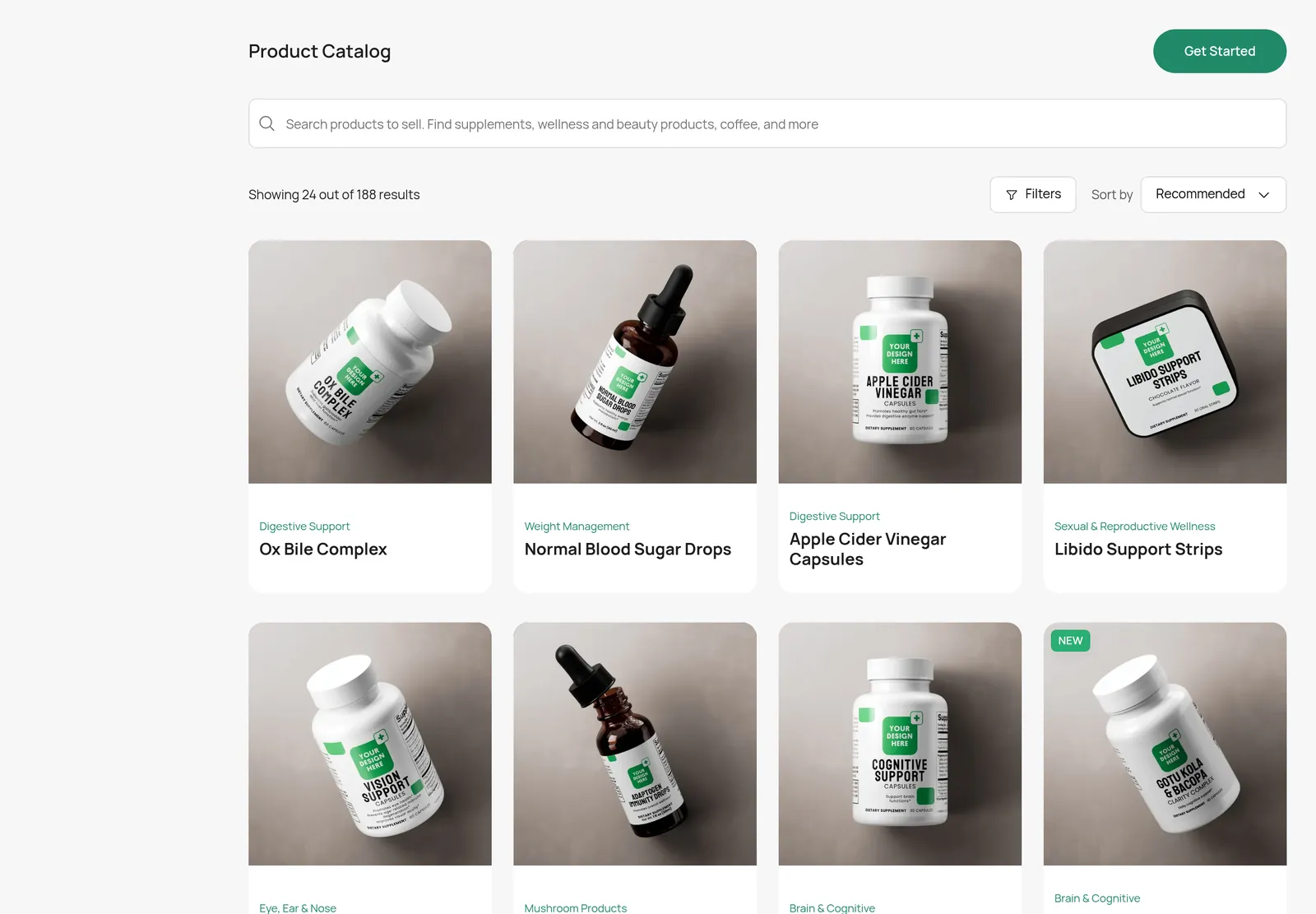
The default catalog also includes products that are much more likely to conflict with Whop’s rules:
- Sexual and reproductive wellness, such as Horny Goat Weed Blend
- Weight-management and fat-burner positioning, such as Fat Burner with MCT and GLP-1 Support
- Disease-adjacent copy, including blood-sugar or vision products marketed as treatments
- Cannabis, CBD and THC (prohibited on Whop)
- Peptides and medical services, which Whop’s docs treat as a restricted overlap
Do not put those claims into abandoned-cart or welcome emails either, even if you only sell protein.
Step-by-step setup
1. Create a Whop account and a Shopify store
Create a Whop account. Use Shopify for the storefront, cart and customer records.
2. Pick conservative Supliful products and connect fulfillment
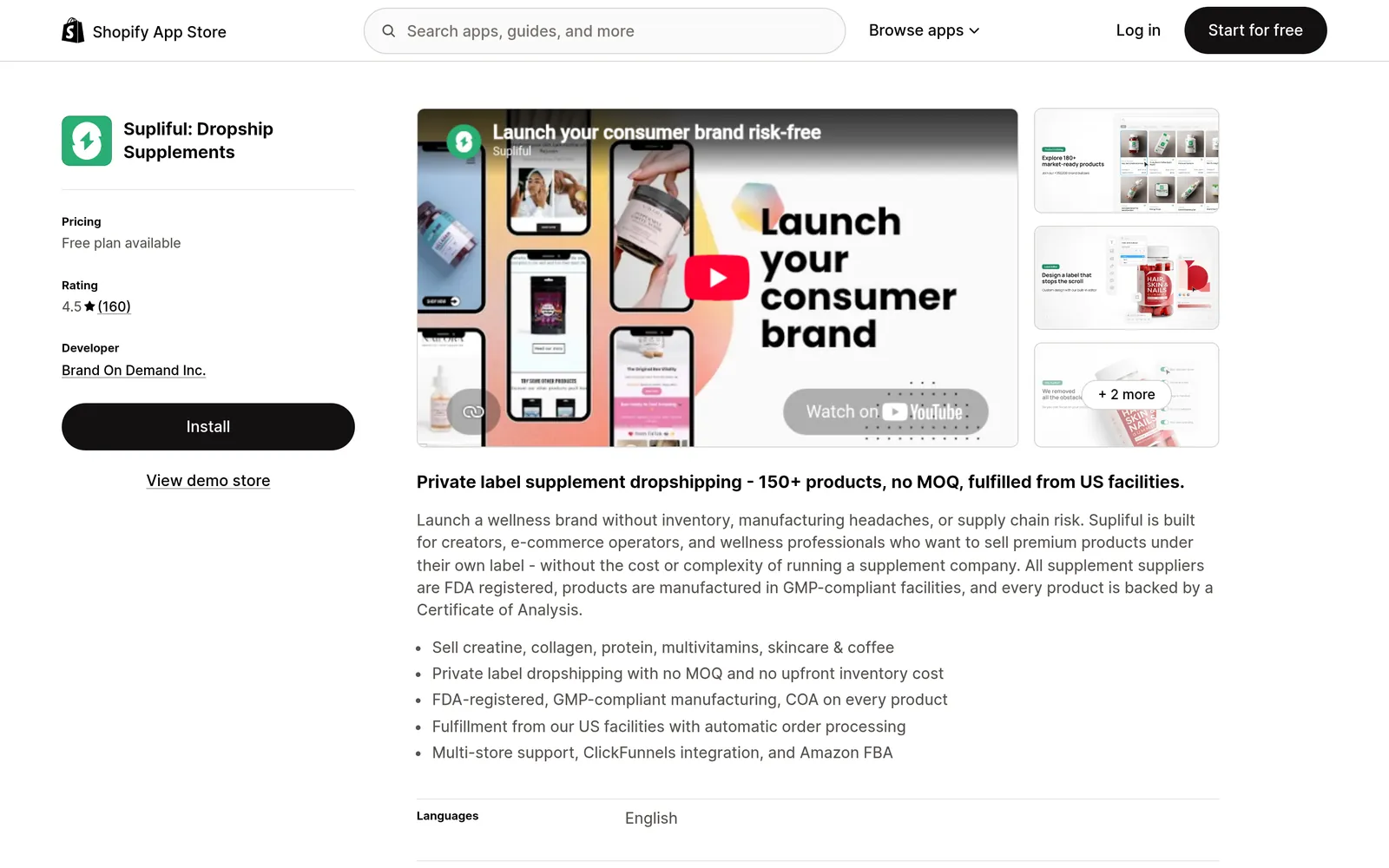
Choose products from the list above in the Supliful catalog, design labels that meet Supliful and FDA label rules, and install Supliful: Dropship Supplements on Shopify. Supliful’s help center explains the Shopify connection. Automatic fulfillment is plan-dependent: the Shopify Pro plan (listed at $69/month or $660/year when we checked) includes automatic order fulfillment; the free plan is not full auto-fulfillment. The Whop Supliful app likewise requires API access and a plan eligible for fulfillment.
3. Connect payments (and install EmailSync)
If you want buyers to pay through Whop while the store stays on Shopify, follow the OneClick Upsell setup. Then install EmailSync from the official Whop App Store and connect your Shopify shop (and your Whop company, if you also sell there).
4. Turn on abandoned-cart recovery
EmailSync’s default Abandon Recovery pack is a 3-email sequence for shoppers who leave checkout. The timing is:
- Wait 1 hour, then send the first reminder
- Wait 1 more day, then send the second email
- Wait 2 more days, then send the last reminder
On Shopify, the flow exits when shopify.order.paid fires, so someone who completes the order stops getting cart emails. For a fresh Shopify install, EmailSync can create this pack for you; existing shops that already have a cart flow are left as they are. You can edit the subjects and body, and you can turn on a smart local send window so those emails shift into daytime hours in the shopper’s region when it is known.
A longer walkthrough of the Shopify setup is in Shopify abandoned cart automation.
5. Turn on a welcome flow for new customers
The Customer Welcome pack is a two-email onboarding drip:
- Email 1: a welcome message, sent when a new Shopify customer is created (
shopify.customer.created) or, on Whop, when a membership is activated (membership.activated) - Wait 2 days
- Email 2: a short follow-up with practical next steps (how to use the product, where to find shipping updates, how to contact support)
That is the built-in pack — not a seven-email series, unless you add more steps yourself.
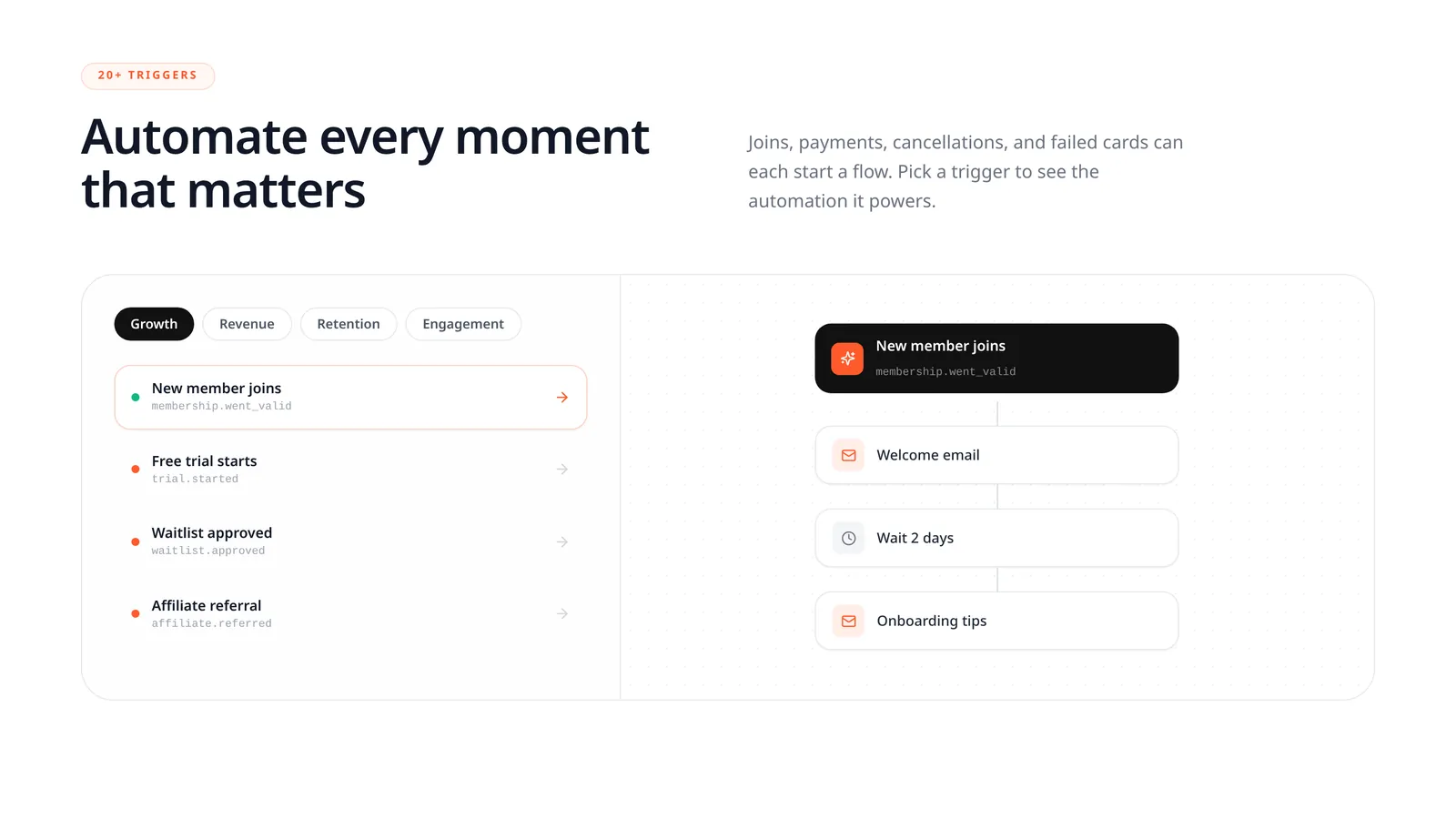
The screenshot above is the Whop-shaped preview of that pack (a new membership). On a Shopify store the same pack uses the customer-created trigger instead.
6. Add a reorder reminder for consumables (custom automation)
EmailSync does not ship a separate “replenishment app,” but you can build the same idea as a custom automation:
- Trigger:
shopify.order.paid(optionally limited to a product such as creatine or whey) - Wait a few weeks — pick a delay that matches how long a tub usually lasts
- Send a short restock email
- Add
shopify.order.paidas an exit so the reminder is skipped if they already reordered
Keep that email as a restock nudge, not a health warning.
Example email copy that stays compliant
Rewrite these with your brand voice, but keep the claims this plain. Do not add fat-loss, hormone, disease or sexual-enhancement language.
Abandoned cart, email 1 (about 1 hour later)
Subject: You left something in your cart
Hi {{first_name}}, your checkout for {{product_name}} is still open. You can finish the order here: {{checkout_url}}
If you have a question about shipping or ingredients, reply to this email and we will help.
Abandoned cart, email 2
Subject: Your {{product_name}} checkout is still saved
Just a reminder that the items in your cart are still waiting. Here is the checkout link: {{checkout_url}}
Shipping times and our refund policy are linked on that page if you want to read them first.
Welcome, email 1
Subject: Welcome — we have your order
Thanks for your order, {{first_name}}. We will email you when it ships, including the tracking number when we have it.
Need anything? Email us at you@yourbrand.com or call (000) 000-0000. We reply within one business day.
These statements have not been evaluated by the Food and Drug Administration. This product is not intended to diagnose, treat, cure, or prevent any disease.
Welcome, email 2 (2 days later)
Subject: How to reach us, and what happens next
Your {{product_name}} is being prepared for shipment. Typical fulfillment is a few business days after the order is accepted, then US delivery usually takes a few more business days — the exact ranges are on our shipping page.
How to use it is on the label. If the scoop, flavor or delivery time is not what you expected, reply to this email and we will sort it out.
Reorder reminder
Subject: Want another tub of {{product_name}}?
It has been a few weeks since your last order of {{product_name}}. If you are running low and want another tub, you can reorder here: {{product_url}}
No pressure — we will be here when you need it.
Set up your business for success on Whop
Email will not fix a store that is hard to contact or vague about shipping. Put these pages in place, and link them from welcome and cart emails.
Clear customer support
Publish a support email, a phone number, and the response times you actually keep. Repeat them in the welcome email so a first-time buyer does not have to hunt.
Refund policy
Spell out the return window, whether opened supplements can be returned, and how refunds are issued. Link the policy from checkout and from your Whop page.
Shipping-time policy page
Supliful’s help center currently describes fulfillment as usually 2–5 business days after the order is Accepted (the shipping-times article also mentions 1–5). US regular delivery is listed as 2–4 business days via USPS; express as 1–3 business days via USPS Priority. First-time label checks can add time. Publish those ranges with a buffer, and do not promise faster shipping than you have tested.
Supplement disclaimer
Use this on product pages and in emails that describe benefits:
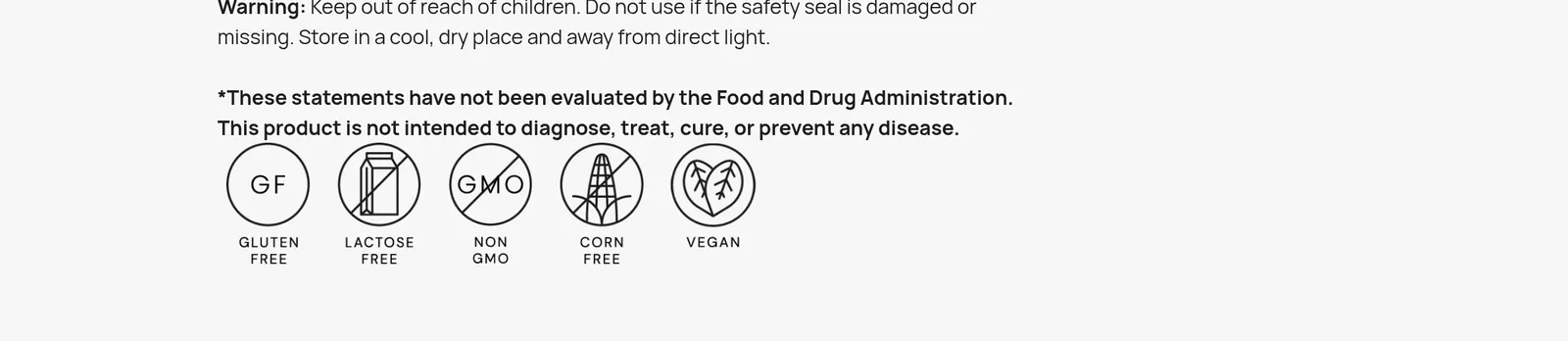
These statements have not been evaluated by the Food and Drug Administration. This product is not intended to diagnose, treat, cure, or prevent any disease.
No excessive or medical health claims
| Use in emails and on the site | Avoid |
|---|---|
| “Your creatine monohydrate checkout is still open.” | “Last chance to burn fat” or “don’t lose your gains or your hormones will crash.” |
| “A whey protein blend to mix after workouts.” | “Melts fat,” “replaces a GLP-1 prescription,” or “treats [condition].” |
| “Reply if you need help with shipping or ingredients.” | “Cures insomnia,” “prevents disease,” or any sexual-enhancement promise. |
Keep tracking numbers updated on Whop
Supliful can fulfill the Shopify order (on a plan that supports automatic fulfillment) and email tracking to the customer. To also show that tracking on the Whop payment, use OneClick Upsell, our sister app: when Shopify records a fulfillment, that app saves the tracking number and, for Whop-paid orders (card, Apple Pay or Google Pay, with a Whop payment ID starting with pay_), posts it to Whop as a shipment. Shop Pay charges are billed through Shopify Payments, so tracking stays on Shopify and in that app and is not sent to Whop as a shipment. EmailSync itself does not sync shipment tracking.
Next step
Install EmailSync from the official Whop App Store, connect Shopify, and turn on Abandon Recovery plus Customer Welcome. Keep the copy as plain as the examples above. For checkout, upsells and Shop Pay, use the OneClick Upsell supplement guide. New to Whop? Create a Whop account.
FAQ
Can I sell supplements on Whop?
Whop does not publish a simple approved list. It prohibits unregulated supplements marketed with unsubstantiated therapeutic or health claims, plus cannabis/THC and adult sexual-gratification products. Everyday products such as protein, creatine, collagen, greens, hydration powders and coffee are more likely to stay within policy if you keep claims conservative. That is not a Whop approval — check Whop’s policy.
What cart recovery does EmailSync send?
The default Abandon Recovery pack sends three emails: the first after 1 hour, the second after 1 more day, and the third after 2 more days. On Shopify it stops when the shopper places an order. You can edit the copy and timing.
How does the welcome flow work?
The Customer Welcome pack sends a welcome email when a Shopify customer is created, or when a Whop membership is activated, then waits 2 days and sends a follow-up with practical next steps. You can add more steps if you want a longer sequence.
Can EmailSync send reorder reminders for supplements?
There is no separate replenishment product. You can create a custom automation triggered by a paid order, wait a few weeks, send a restock email, and exit the flow if they already reordered.
What should I avoid saying in supplement emails?
Do not claim a product diagnoses, treats, cures or prevents disease, burns fat, replaces a prescription, or enhances sexual function. Describe the product, remind them about the open checkout or the reorder link, and point to shipping, refunds and support.
Ready to email your Whop members?
Create a free EmailSync account, or install it straight from the Whop App Store.
Some links to Whop on this site are affiliate links. If you sign up through them we may earn a commission, at no extra cost to you.