Email marketing has always been one of the most effective ways to generate repeat purchases. But there's a problem that most email marketing platforms haven't solved.
Your customers already purchased from you. Their payment information is already saved. So why are you sending them through checkout again?
With WhopMail's one-click email upsells, you can give eligible existing Whop customers a faster way to purchase additional products, upgrades, and special offers using their saved payment method.
And in supported Gmail experiences, they can confirm their purchase directly inside the email.
Here's how it works and how to set it up.
What are one-click email upsells?
A one-click email upsell lets an existing customer buy another product from an email using a saved payment method.
Traditionally, an upsell email sends someone to a product page, where they must navigate to checkout, review their payment details, and complete the purchase.
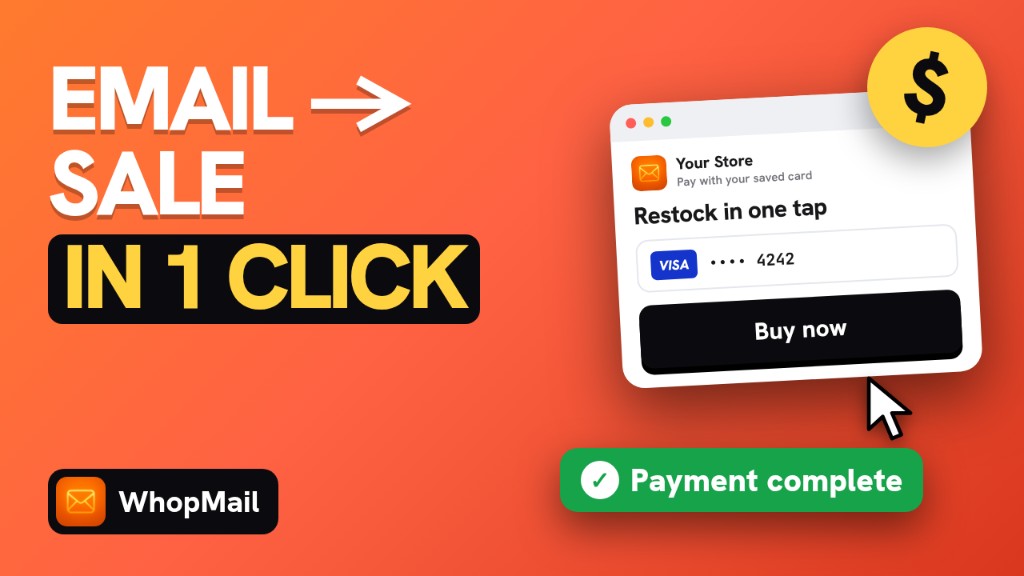
WhopMail simplifies this for eligible customers. Instead of sending them through the entire purchase journey again, your email can show:
- The product you're offering
- The purchase price
- The customer's saved payment method, such as Visa ending in 4242
- A clear Confirm purchase button
Once the customer confirms, Whop processes the payment using the saved payment method and sends the receipt.
No need to enter card details again.
Why one-click email upsells matter
Every extra step in a purchase is another chance for a customer to abandon it. Even customers who genuinely want to buy get distracted, forget a password, or decide to finish later.
Compare the two journeys:
Traditional email marketing: Email → Product page → Checkout → Payment details → Purchase
WhopMail one-click email upsell: Email → Confirm purchase → Done
Fewer steps make a smoother path from interest to payment. This is especially useful for products customers already understand, such as additional access, premium upgrades, add-ons, or repeat purchases. Results vary by merchant and audience.
Try this in WhopMail
Connect your Whop store and send your first campaign or automation today. Free to start.
How one-click email purchases work in WhopMail
WhopMail uses the payment methods customers have already saved with Whop to give them a streamlined repeat-purchase experience.
1. Customers receive a personalized offer
When you send a one-click upsell campaign, eligible customers receive an email with the product offer, the price, and their saved card. For example:
Unlock Premium Access
Get additional features with our Premium Upgrade.
Your payment method: Visa •••• 4242
Total: $29.00
[Confirm purchase — $29.00]
The customer can see exactly what they're buying and which payment method will be charged.
2. Gmail can support purchases inside the email
For customers using supported Gmail interactive email experiences, WhopMail lets them confirm the purchase from inside the email. They review the offer, tap confirm, and see a thank-you message once Whop takes the payment, without opening a separate page.
Interactive email availability depends on email client support and sender requirements.
3. Other email clients use a fast confirmation page
Not every email provider supports interactive purchases. For customers on Apple Mail, Outlook, Yahoo Mail, or other clients, the purchase button opens a lightweight confirmation page where they review the purchase and confirm it with their saved payment method.
There's no need to enter card details again when an eligible saved payment method is on file.
4. Customers without a saved card can still purchase
If a customer doesn't have an eligible saved payment method, they get the same email design with a regular button. It opens a secure checkout page where they enter their card once and complete the purchase.
That card is then saved with Whop, so their next upsell email can be a true one-tap purchase.
5. Revenue is connected to your campaign
Selling directly from email is only half the benefit. WhopMail also attributes purchases to the campaigns that generated them.
You can view campaign revenue and see which offers, audiences, and email designs drive purchases, so you can optimize on sales rather than only opens and clicks.
How to set up one-click email upsells in WhopMail
Setup takes just a few steps.
Step 1: Install WhopMail
Install the WhopMail app on Whop on your Whop business, and connect the business you want to use for email campaigns.
Step 2: Enable EmailSync Actions
In WhopMail, go to Settings → EmailSync Actions and turn on Enable Actions.
This enables the commerce actions you can add to your email campaigns.
Step 3: Create an email campaign
Open the campaign builder, create a new campaign, and choose your audience. For example, target existing customers who bought a particular product and could benefit from an upgrade.
Step 4: Select the upsell transaction type
In the campaign settings, find Transactional send and select Upsell (one-tap purchase).
This sets the campaign up to use WhopMail's purchase confirmation flow.
Step 5: Choose your product and price
Select the product plan you want to offer and confirm its price. The email shows this offer so customers know exactly what they're buying.
Step 6: Load the upsell email design
Click Load the upsell starter design. WhopMail gives you a starting template built around the purchase button.
Customize the design, product messaging, brand elements, and offer presentation. Make sure customers can clearly see the product, the amount being charged, and the confirm button.
Step 7: Send your campaign
Preview and test your email, then send it.
Transactional emails are reviewed and then delivered at a steady pace to protect inbox placement. Customers with a saved card get the one-tap experience; everyone else gets the secure checkout page.
Step 8: Track your revenue
After sending, open your campaign's Revenue view to see sales attributed to the campaign. Use it to improve future offers and test new upsell ideas.
Best ways to use one-click email upsells
- Product upgrades: Offer existing customers a higher-tier product, course, community, or service.
- Cross-sells: Recommend complementary products based on what a customer already bought.
- Returning-customer offers: Give past buyers an easy way to buy another product without repeating checkout.
- Limited-time promotions: Make it easier for eligible customers to act on a time-sensitive offer.
- Post-purchase campaigns: Introduce a relevant add-on after someone completes their first purchase.
The most effective offers are relevant to the customer's existing purchase and clearly explain the extra value.
Beyond upsells: manage Whop memberships from email
One-click upsells are part of a broader set of commerce actions in WhopMail. Another is membership renewal management.
Instead of asking subscribers to log in and manage their subscription, choose Renewal (renew, pause, cancel) as the transactional send type. Subscribers can then:
- Renew their membership
- Pause their membership (no charges while paused)
- Cancel their membership
This makes renewals and billing clearer for customers, without making them navigate multiple account pages.
How WhopMail handles purchase confirmation
When you charge a customer's saved payment method, transparency and reliability matter. WhopMail's purchase flow is built around these safeguards:
- Clear purchase confirmation: Customers see the product, price, and saved payment method before they authorize a purchase.
- Private purchase links: Each confirmation link is unique to its recipient and isn't meant to be shared.
- Single-use confirmation: Purchase links are designed so the same confirmation can't create duplicate charges.
- Whop payment processing: Payments are processed by Whop, which also sends the receipt.
- Campaign attribution: Completed purchases are linked back to the email campaign that generated them.
Watch the full one-click email upsell tutorial
The video at the top of this article walks through enabling EmailSync Actions, building your first upsell campaign, customizing the design, and completing a one-click purchase.
Start selling directly from your emails with WhopMail
Your email campaigns shouldn't always send customers through another checkout. For customers who have already bought from your Whop business, one-click email upsells make it simpler to buy again with their saved payment information, and you can track the revenue every email generates.
Ready to email your Whop members?
Create a free WhopMail account, or install it straight from the Whop App Store.
Some links to Whop on this site are affiliate links. If you sign up through them we may earn a commission, at no extra cost to you.