
"Whop Shopify" is a search that mixes two very different platforms. Shopify is where your store lives. Whop is where a growing number of sellers take payments and get paid. This overview explains, in plain English, how the two fit together and whether that setup makes sense for you.
Two platforms, two jobs
Think of your business as two halves.
The store half (Shopify): your theme, product pages, collections, cart, inventory, shipping rates, orders and fulfillment. This is the part your team touches every day.
The money half (Whop): the checkout page, the payment itself, payouts to your bank, recurring billing for subscriptions and the customer record that comes with each payment.
Most merchants are happy with the store half. Problems usually show up in the money half: held payouts, missing wallets, or upsell apps that stopped working. Whop lets you replace the money half without touching the store half.
A short glossary
- Whop company: your business account on Whop. It receives payments and payouts.
- Whop checkout: the page where buyers pay. On a Shopify store, it replaces Shopify's checkout page.
- Our official Whop app: the app (listed on the Whop App Store as Upsell OTO & Order Bumps) that connects your Shopify store to Whop.
- Order sync: paid orders created back in Shopify so you fulfill them as usual.
- One-click upsell: an offer shown right after payment that charges the same card in one tap.
How the connection works
- Buyers browse and fill their cart on your Shopify store.
- At checkout they continue to a Whop-powered checkout page.
- They pay with cards, Apple Pay, Google Pay or PayPal through your Whop company.
- The paid order is created in Shopify.
- When you ship, tracking syncs to the Whop payment.
- Refunds you make in Shopify admin also refund the Whop payment.
Whop is not listed in Shopify's payment settings, which is why the app exists: it is the bridge.
Example scenarios
These are illustrative examples of the problems the setup is built for.
The store with a payout hold
A skincare brand's Shopify Payments account goes under review just as a promotion takes off. The store still loads, but payouts are paused. Connecting Whop gets checkout running through the Whop company while they deal with Shopify.
The brand that wants more per order
An apparel store wants a post-purchase offer, but its old upsell app needed Shopify Payments. With Whop checkout, buyers can add a matching item in one tap and it ships in the same box.
The ad-driven store
A store spending on TikTok and Meta ads wants purchases reported accurately. The app tracks each step from ad click to upsell with browser and server events, deduplicated, so ad platforms see real sales.
The creator with merch
A creator already sells a membership on Whop and runs a Shopify merch store. Connecting the two means merch payments land in the same Whop balance as membership revenue.
What stays the same for your team
Connecting Whop does not change daily operations. Your team still:
- Adds and edits products, prices and collections in Shopify
- Manages inventory and shipping rates in Shopify
- Packs and ships orders from Shopify admin
- Handles returns and refunds in Shopify admin, which also refunds the Whop payment
- Answers customer questions using the order details in Shopify
What changes is where the payment happens and where payouts come from. Instead of Shopify Payments, money lands in your Whop company and pays out on Whop's schedule, with standard payouts taking up to 5 business days according to Whop's payout docs.
Who it suits, and who it doesn't
Good fit:
- Shopify stores with held or limited Shopify Payments
- Stores that lost Apple Pay and Google Pay after leaving Shopify Payments
- Brands that want one-click upsells on the same card
- Sellers who already use Whop for other products
Probably not a fit:
- Stores whose buyers rely on Shop Pay, which is part of Shopify's checkout
- Businesses in categories Whop does not allow under its own policies
- Stores happy with Shopify Payments that do not need upsells or wallets back
What it costs
- Our app: $99.95 per month (1% platform fee) or $149.95 per month (0.5% platform fee), with the platform percentage waived for early users for now.
- Whop processing: Whop's own fees apply on every charge. See Whop's fee page.
- Shopify: your existing plan. Check how synced orders appear on your invoice.
Where WhopMail fits
Once checkout runs on Whop, WhopMail can send welcome, failed payment and win-back emails triggered by Whop events, and add one-click email upsells. On the Shopify side, Email Sync recovers abandoned checkouts with emails that show the shopper's real cart.
Connect Whop and Shopify in 4 steps
Install our official Whop app
On the Whop App Store, open our app (Upsell OTO & Order Bumps) and click Add on your Whop company.
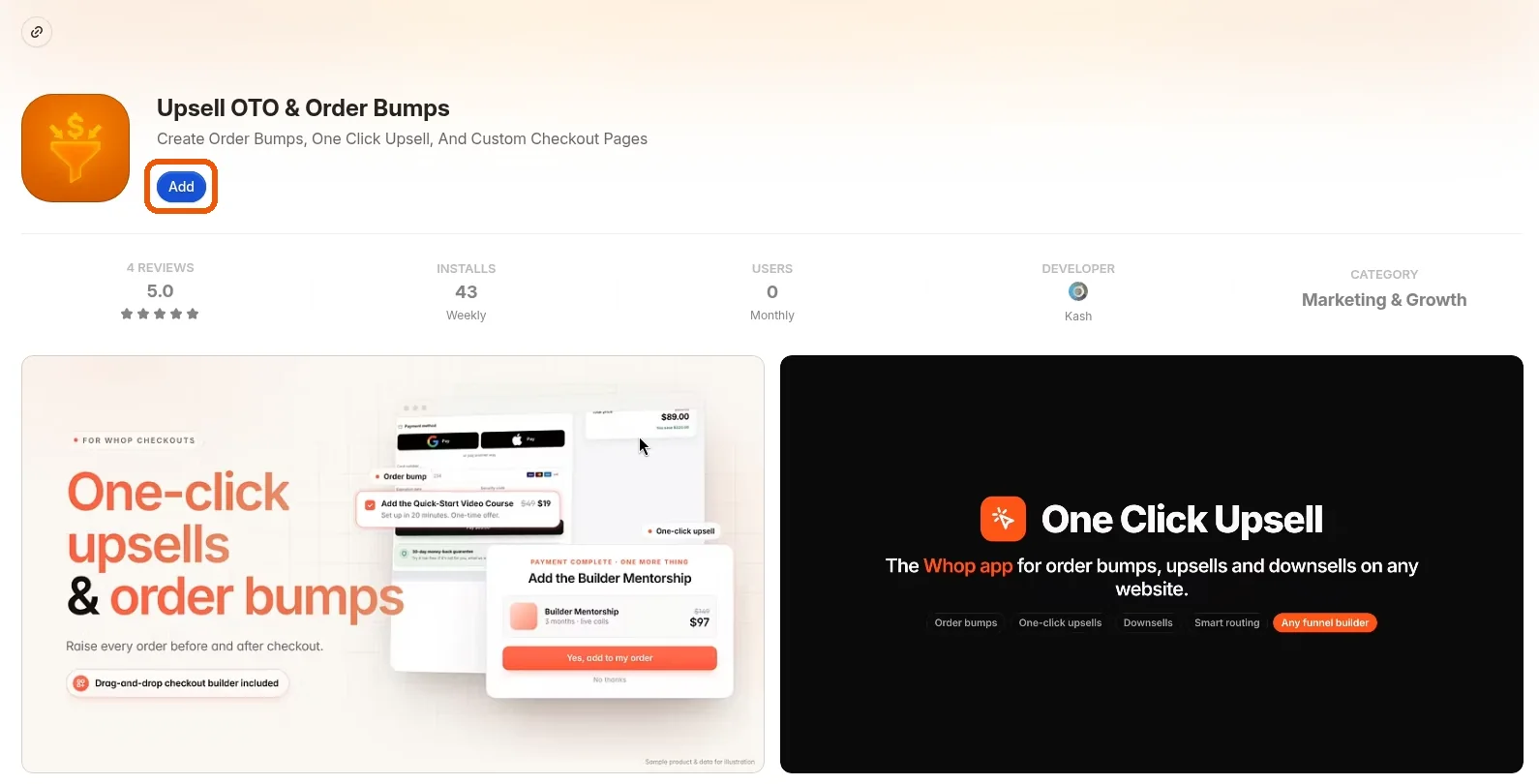 Install our official Whop app
Open the app and click Shopify in the sidebar
Open the app and choose Shopify in the left sidebar.
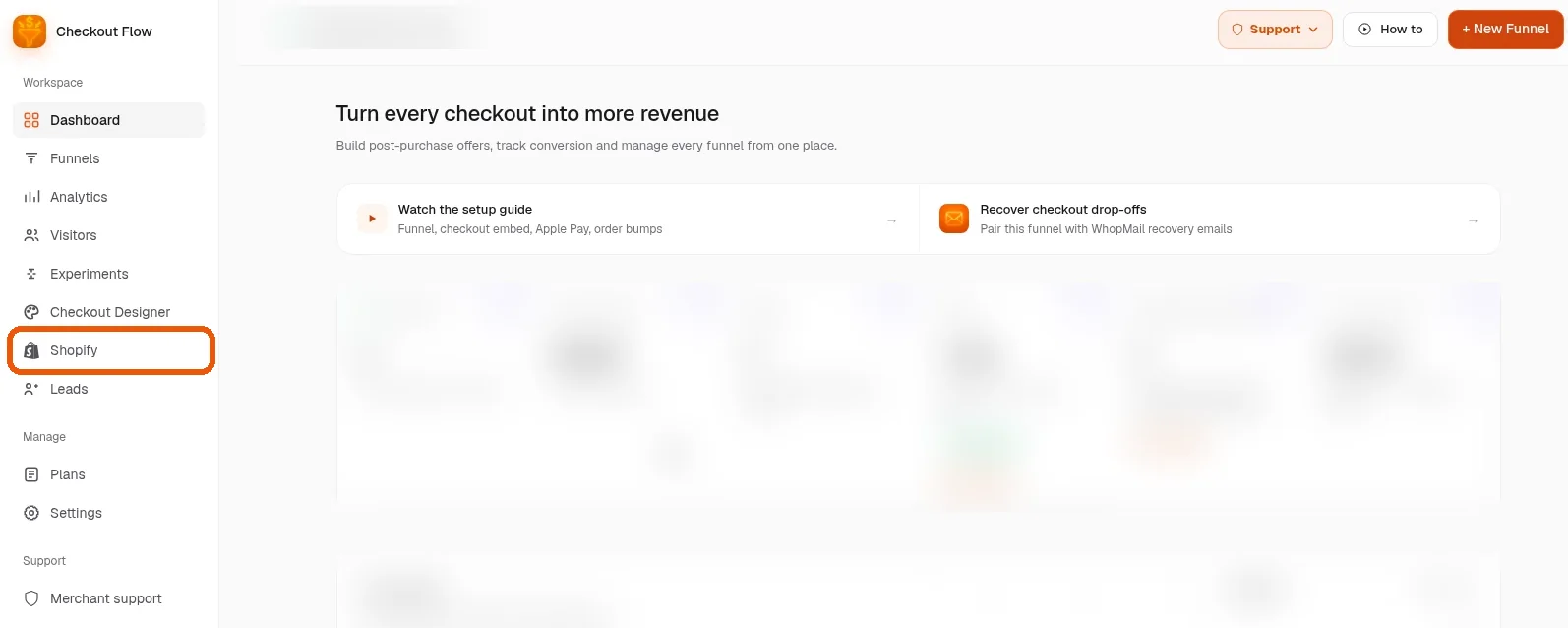
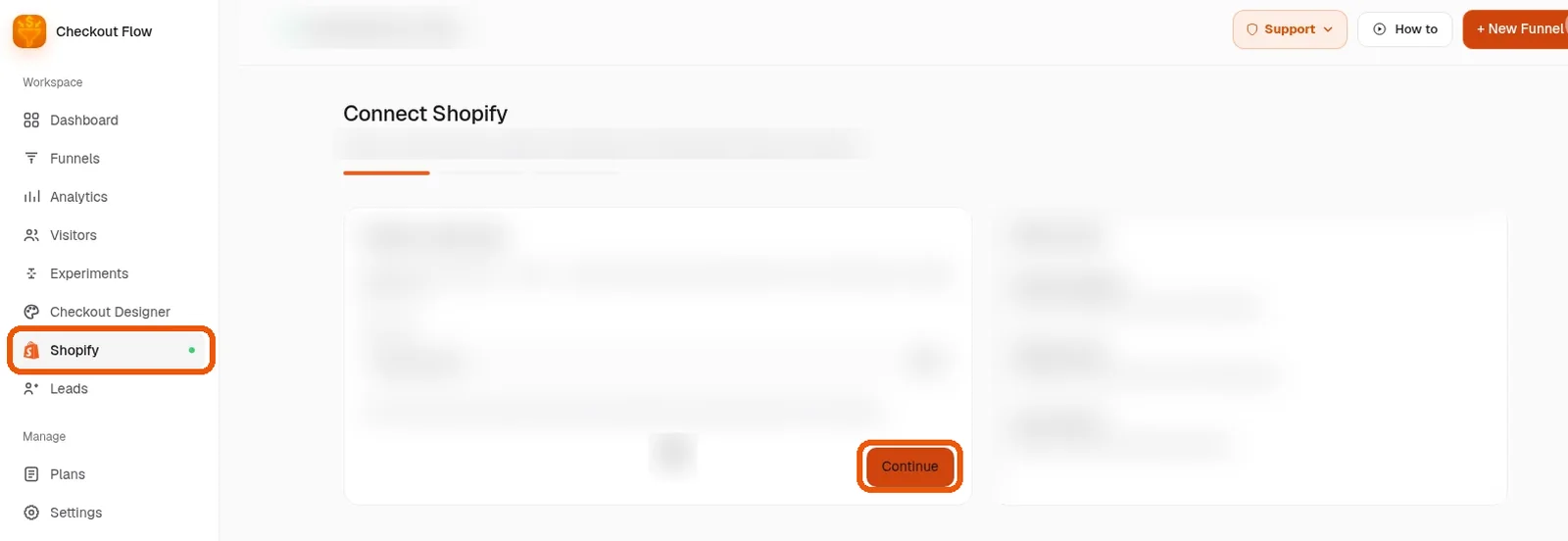
Follow the guided setup
Work through the guided setup. Each screen explains the next action; click Continue to move on. About 10 minutes for most stores.
You are live
Place a test order. When it lands in your Shopify admin, Whop and Shopify are working together.
Want us to set it up with you?
Book a free setup call and we will connect your Shopify store to Whop together.