
People searching for "Whop checkout Shopify" usually want to know one thing: what will my customers actually experience? This guide follows a single buyer from the ad they click to the emails they get afterwards, so you can judge the experience for yourself.
The short version
Whop checkout on Shopify swaps only the payment page. Your Shopify store, cart and products stay. When a buyer clicks Checkout, they continue to a Whop-powered checkout, pay, and the paid order is created back in Shopify. It runs through our official Whop app, because Whop is not listed in Shopify's payment settings.
Meet the buyer: one order, start to finish
Let's follow a shopper we'll call Maya. She sees your ad, likes the product and buys a bundle.
1. She lands on your Shopify product page
Nothing is different here. Your theme, photos, reviews and variants are all Shopify. If you run ads, the click is tracked from this first visit.
2. She adds to cart (or taps Buy now)
Maya adds two items and applies a discount code in your Shopify cart. If your product page has a Buy now button, she can skip the cart and go straight to checkout.
3. She clicks Checkout and lands on Whop checkout
The cart, cart drawer and checkout links hand her to your Whop checkout. Her items, variants, discount and totals come with her, so she does not pick anything again.
4. She pays in one tap
Apple Pay and Google Pay sit at the top of the page on supported devices. She could also type a card or choose PayPal, which runs through Whop. Below that is a familiar address form with the shipping rates you set in Shopify. The charge runs through your Whop company.
5. She sees a one-time offer
Right after payment, Maya sees an offer for a matching product. One tap adds it to her order and charges the same card, with nothing to re-enter. The item is added to the same Shopify order so it ships together.
6. She lands on a thank-you page
Her name, order number and a confirmation note show on a page styled like your store, with your policies, contact details and trust badges.
7. She gets her receipt and shipping updates
Her order is in your Shopify admin. When you ship it, the tracking number syncs to her Whop payment. Your post-purchase emails take it from there.
What buyers notice, and what they don't
They notice:
- Fast wallet buttons at the top
- PayPal available even if you never had a PayPal business account
- A checkout that can show in their own language
- A one-click offer after paying
They don't notice:
- That the payment runs on Whop instead of Shopify Payments
- Any change to your store, product pages or cart
One thing does change: Shop Pay is part of Shopify's checkout, so it is not available on Whop checkout.
How the checkout handles different buyers
Returning mobile buyers usually pay fastest. Apple Pay or Google Pay sits at the top, so they can confirm with a face or fingerprint scan and skip typing an address.
First-time desktop buyers fill a familiar address form, pick a shipping rate from the ones you set in Shopify, and pay by card or PayPal.
International buyers can see the checkout in their own language, which removes one more reason to abandon.
Buyers who prefer PayPal can choose it, because PayPal runs through Whop rather than your own PayPal account.
Whichever path they take, the order lands in your Shopify admin the same way.
Where email fits in
Checkout is only half of the buyer journey. The emails around it decide how many buyers come back.
- Abandoned checkouts: if a shopper leaves before paying, Email Sync on Shopify can send a recovery series that shows their real cart and stops when they buy.
- Welcome and order emails: once checkout runs on Whop, WhopMail can send welcome, failed payment and win-back emails triggered by Whop events.
- One-click email upsells: with checkout on Whop, WhopMail can offer products buyers purchase from inside the email.
Set up Whop checkout on Shopify in 4 steps
Install our official Whop app
Add our app from the Whop App Store, where it is listed as Upsell OTO & Order Bumps. Choose the Whop company that will get paid.
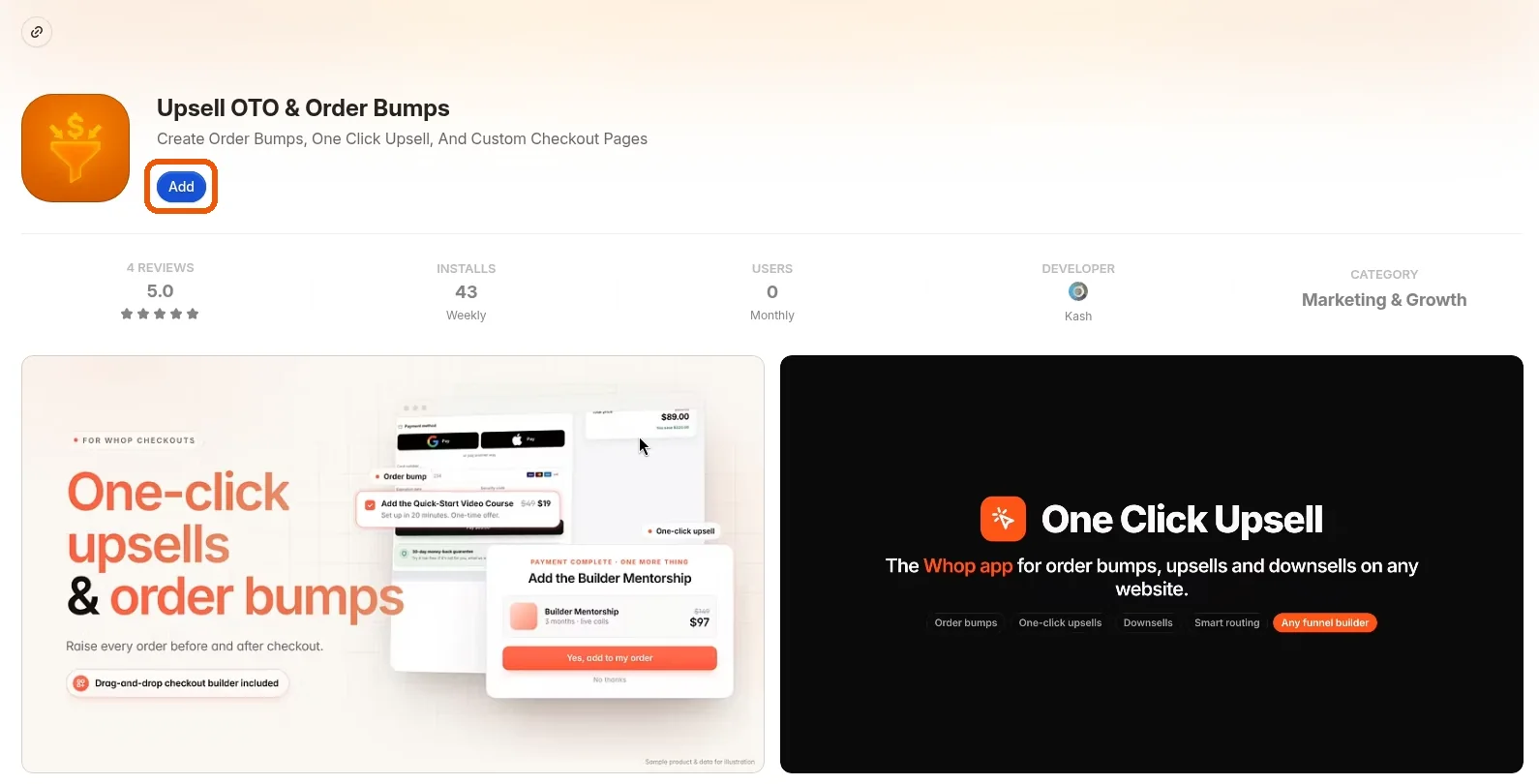 Install our official Whop app
Open the app and click Shopify in the sidebar
Open the app inside Whop and click Shopify in the left sidebar.
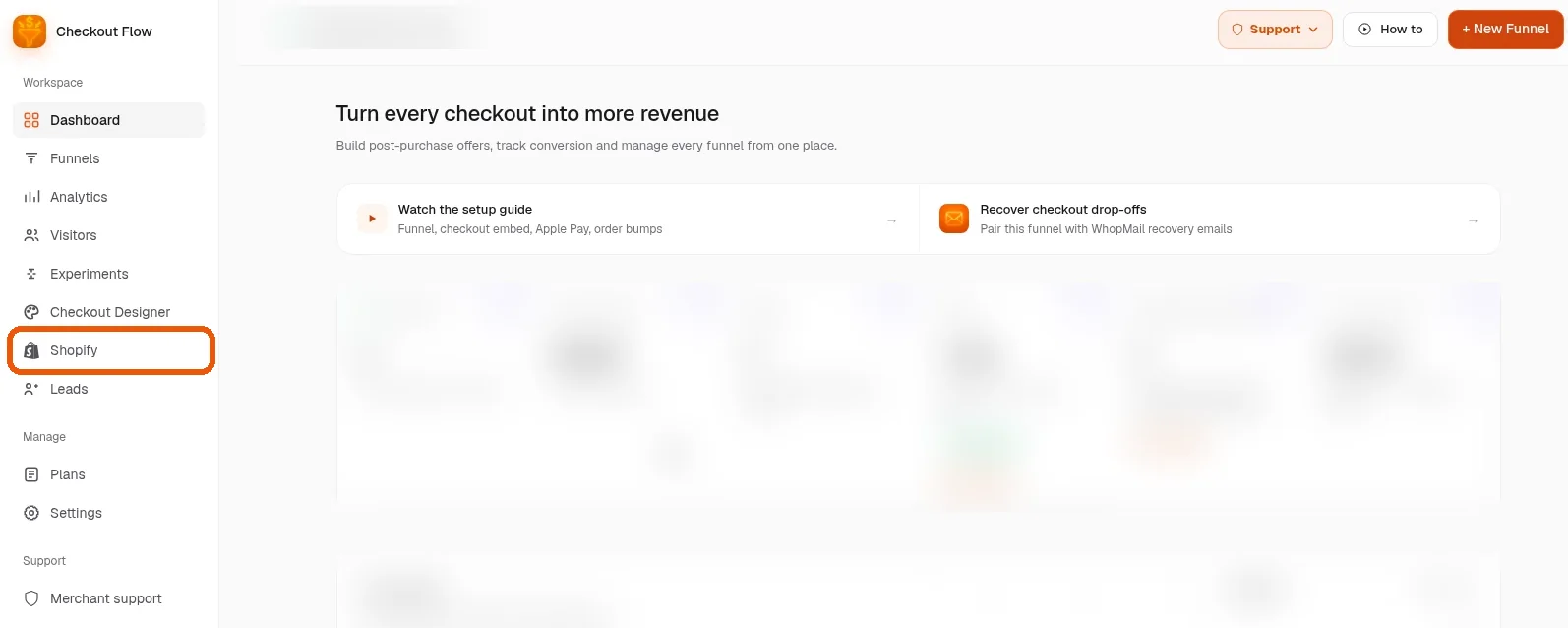
Follow the guided setup
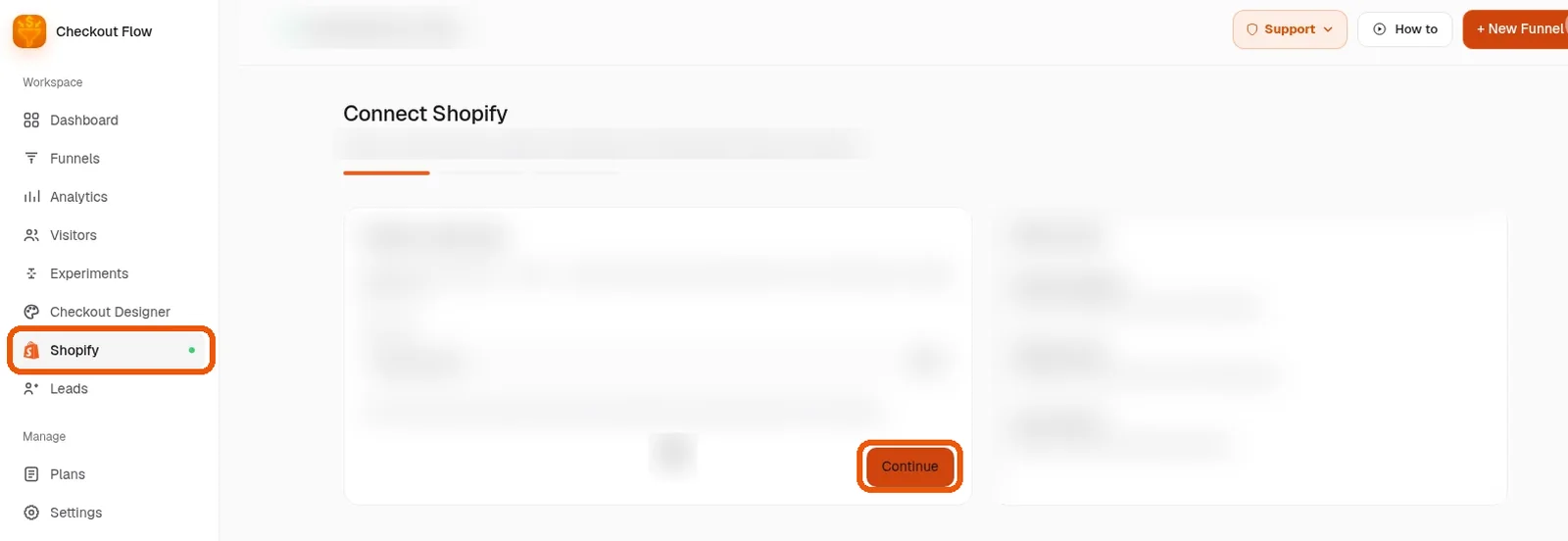
Follow the guided setup. It walks you through connecting your store one screen at a time; click Continue on each. Most stores finish in about 10 minutes.
You are live
Buy something from your own store as a test. When it appears in Shopify, your Whop checkout is live.
Want us to set it up with you?
Book a free setup call and we will connect your Shopify store to Whop together.
Make the checkout feel like your brand
You can go live with the default design. When you have time, the checkout designer lets you change colors, fonts and banners, add order bumps, reviews and trust badges, and put checkout on your own domain.
A quick checklist for a smooth buyer experience
- Test Apple Pay or Google Pay on a real phone before sending traffic
- Use a clear, short one-click offer, one product per step
- Check that your shipping rates show the way you expect
- Send a welcome or order email so buyers know what happens next
- Keep your refund policy visible; refunds start in Shopify admin and the Whop payment is refunded too